Home > For MSI Laptop Batteries > For MSI BTY-M49 Battery
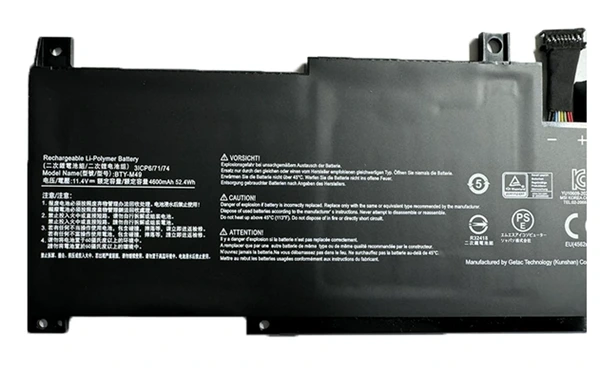
52.4Wh 11.4V BTY-M49 Battery For Msi Prestige 14 A10M A10SC A10RAS A11SC A11SCX
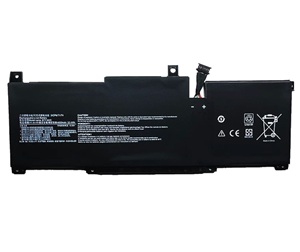
For MSI BTY-M49 Battery


Replacement BTY-M49 Battery For MSI Modern 14 & Prestige 14 Series - 52.4Wh 11.4V
High Quality Grade A cells ensure fast charges and low power consumption; Built-in circuit protection ensures both safety and stability. Brand new battery for MSI BTY-M49 from Manufacturer.The MSI BTY-M49 battery is individually tested before shipment and backed by 30 day complete satisfaction guarantee and a 1 Year warranty.

Item name: For MSI BTY-M49 Battery
Availability: In Stock
AU $ + Shipping Rate
Replacement For MSI BTY-M49 Laptop Battery
- Warranty
- 12 months
- Capacity
- 52.4Wh
- Volts
- 11.4V
- Color
- Black
11.4V, 52.4Wh battery for MSI BTY-M49. The quality of this replacement for MSI BTY-M49 battery is certified as well by RoHS and the CE to name a few. Cheap price and high quality!
Safety is also key with laptop batteries for MSI, therefore all laptop battery for MSI BTY-M49 have top quality 100% Grade "A" cells for premium capacity and reliability and 5 levels of protection including a failsafe thermal switch.
Replacement Battery Code:
Replacement For: BTY-M49, 3ICP6/71/74
Fits model:
Replacement For :
MSI Prestige 14 A10SC-009 i7-10710U Series
MSI MS-14C1
MSI Prestige 14 A10SC
MSI Prestige 14 A10SC-009
MSI Prestige 14 B10MW
MSI Prestige 14 B10MW-017US
MSI Summit E14 A11SCS
Attention
- 100% Brand New ,High Quality Battery Cells
- Item is 100% OEM Compatible
- No memory effect. Chargeable even if it has not been used up yet
- Run Longer Time,Best Replacement for the original MSI BTY-M49 Battery
Instruction for Use:
1) For the first time using the new battery,please discharge it to 5% and the fully charge it to 100%.
2) Never run your battery below the 2% critically low warning point. If your battery is run below this point it may not have enough energy to even recharge. This may effectively 'kill' your MSI BTY-M49 battery.
3) If you plan to place your laptop battery in storage, be sure to have the charge at 40% and stored in the fridge (not freezer) for maximum laptop battery longevity.
4) Make your laptop into sleep or hibernate when the notebook is not in use.
5) Choose correct laptop adapter,if a replacement battery is not charged,perhaps your adapter can not be compatible with it.

No Worries Warranty!
1 Year Product Warranty!
60 Days Money Back Guarantee!
100% RISK-FREE!
Our Goal is 100% Customer Satisfaction and Customer Success.
Laptop Battery
- Battery For Acer
- Battery For Amazon
- Battery For Asus
- Battery For Benq
- Battery For Clevo
- Battery For Dell
- Battery For Huawei
- Battery For HP/Compaq
- Battery For Lenovo
- Battery For Microsoft
- Battery For MSI
- Battery For Panasonic
- Battery For Razer
- Battery For Samsung
- Battery For Sony
- Battery For Toshiba
Laptop AC Adapter
- For Acer AC Adapter
- For Asus AC Adapter
- For Chicony AC Adapter
- For Dell AC Adapter
- For Delta AC Adapter
- For HP AC Adapter
- For LG AC Adapter
- For Microsoft AC Adapter
- For Lenovo AC Adapter
- For Sony AC Adapter
- For Samsung AC Adapter
- For Toshiba AC Adapter
Top Battery
- BTY-M551
- BTY-M48
- MSI BTY-M58
- MSI BTY-M6H
- MSI BTY-M492
- MSI BTY-M6M2
- MSI BTY-M57
- BTY-S14
- BTY-M6L
- BTY-M66 Battery
- Acer AP1505L
- Acer AP16M5J
- Acer ap19b8k