Home > For Dell Laptop Batteries > For 3VV58 battery
Replacement 39.7Wh 7.7V 3VV58 Battery For Dell 14 15 Inch Latitude 9420 2-in-1
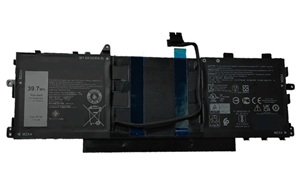
For Dell 3VV58 Battery


39.7Wh 7.7V Replacement For Dell 3VV58 Battery
Replacement 3VV58 Battery For Latitude 9420 9430 2-in-1 Series 21CP5/81/71.100% original manufacturer compatible.Manufactured of high quality long life battery cells.Full one year warranty and 30 days money back!

Item name: For Dell 3VV58 Battery
Availability: In Stock
AU $ + Shipping Rate
Replacement For Dell 3VV58 Laptop Battery
- Warranty
- 12 months
- Capacity
- 39.7Wh
- Volts
- 7.7V
- Color
- Black
7.7V, 39.7Wh Extended Life battery for dell 3VV58. The quality of this for dell 3VV58 battery is certified as well by RoHS and the CE to name a few. Cheap price and high quality!
Safety is also key with batteries for dell laptop, therefore all laptop battery for dell 3VV58 have top quality 100% Grade "A" cells for premium capacity and reliability and 5 levels of protection including a failsafe thermal switch.
Replacement Battery Code:
Replacement For: 3VV58 JJ4XT 0JJ4XT 6VJ1F 21CP5/81/71
Fits model:
Replacement For Dell 14 15 Inch Latitude 9420 2-in-1 Series Latitude 9420 Series Latitude 9420 2-in-1 Series.

Attention
- 100% Brand New ,High Quality Battery Cells
- Item is 100% OEM Compatible
- No memory effect. Chargeable even if it has not been used up yet
- Run Longer Time,Best Replacement for the original 3VV58 Battery
Top Quality
The batteries we sell comes with worlds best quality Japaneese Cells.
Power your Laptop with our Excellent For Dell 3VV58 Battery.Any battery or accessory you purchase from us is guaranteed,Our laptop battery are made by the highest quality Japaneese cells available and utilize all of the proper logic boards, thermal protectors, thermistors and circuit breakers to ensure the highest levels of battery safety, reliability and efficiency,it is Certified by CE and RoHS! you can be reassured to buy it.
Purchase Skills
Please open the back cover of the laptop before ordering and make sure that the original battery model is consistent with the listing. After getting the battery, please install the battery correctly, make sure that the battery connector is firmly connected to the laptop motherboard, and use the original charger to charge the laptop.
Battery Optimal Maintenance
New dell laptop battery received, discharge the battery to 5% (not 0%) for the fist use, then charge and cycle 3-4 times to wake up the new battery.
Do not connect adapter for a long time while using the battery. It may damage the battery.
Do not run out of battery power to 0%, the lithium battery will turn on the Charge Protection. So it can not be recharged any more.
If the battery needs to remain idle in a month or a longer time, remove the battery out of the computer, charge it to 60%-80% and store it in a dry cool and clean place.

No Worries Warranty!
1 Year Product Warranty!
60 Days Money Back Guarantee!
100% RISK-FREE!
Our Goal is 100% Customer Satisfaction and Customer Success.
Laptop Battery
- Battery For Acer
- Battery For Amazon
- Battery For Asus
- Battery For Benq
- Battery For Clevo
- Battery For Dell
- Battery For Huawei
- Battery For HP/Compaq
- Battery For Lenovo
- Battery For Microsoft
- Battery For MSI
- Battery For Panasonic
- Battery For Razer
- Battery For Samsung
- Battery For Sony
- Battery For Toshiba
Laptop AC Adapter
- For Acer AC Adapter
- For Asus AC Adapter
- For Chicony AC Adapter
- For Dell AC Adapter
- For Delta AC Adapter
- For HP AC Adapter
- For LG AC Adapter
- For Microsoft AC Adapter
- For Lenovo AC Adapter
- For Sony AC Adapter
- For Samsung AC Adapter
- For Toshiba AC Adapter
Top 15 Battery
-
Replacement For :
- Dell 357F9
- Dell 1FXDH Battery
- Dell 8P6X6
- Dell 9NJM1
- Dell 8fctc Battery
- Dell G5M10
- Dell PW23Y Battery
- J60J5 Battery
- f62g0 battery
- Dell dxgh8
- 33ydh
- Dell 6mt4t
- Dell 6GTPY
- Dell WW8N8
- Dell MXV9V